I’m a self‑driven, results‑focused professional with a broad skill set and a proven history of delivering meaningful impact. I don’t just provide solutions; I actively pursue them. When I don’t have an answer or direction, I research, test, and uncover it. My priority is helping organizations grow, perform, and succeed through competence, adaptability, and strategic execution.
Engineering, Technical Experience & Services
Phone: 661-365-5792

-
Product R&D and Product Management, Design for Manufacturing (DFM) across Consumer Electronics, Pro/Commercial environments for Audio‑Video, Security, Home Automation, LED Lighting, AC/DC Power, Wired/Wireless Networking, and IP/PoE systems. Experienced in taking hardware and software designs from proof‑of‑concept through full product launch.
-
Value‑Added Product Solutions Engineer with deep expertise in creating innovative, market‑ready solutions.
-
Electronic Engineering, Technical CAD drawings, and Consulting for product development, system architecture, and engineering documentation control/management.
-
Residential and Pro Audio/Commercial AV, Lighting, Security and Automation System Integration, including technical design, system layout, and implementation strategies for new construction projects and retrofits.
-
Creation and design of product catalogs, brochures, technical literature, instruction manuals with detailed product information/ technical specifications, packaging, website technical information/diagrams, and application notes.
-
UI/UX Design for intuitive, user‑focused interfaces across hardware and software platforms.
-
Development of technical training materials and support documentation for sales teams, trade shows, and partner education.
-
Creation of technical concepts, imagery, and presentations for customer engagement, email campaigns, LinkedIn content, training, and marketing initiatives.
-
Marketing support through technical resources, product insights, and strategic guidance to strengthen brand awareness and identify key markets and customer segments.
-
Extensive familiarity with industry leaders in AV and home automation products, systems, and technologies.
Please Note! This website is constantly in flux and a work in progress and is being updated, modified on a reqular basis.
Design-Build for Home AV and Automation
Design-build for home/commercial audio, video, and automation is a streamlined, end-to-end approach that integrates planning, engineering, and installation into one cohesive workflow.
Home Systems:
-
It ensures that your AV and smart home system is tailored to your lifestyle, budget, and aesthetic preferences.
Commercial Systems:
-
It ensures your AV and smart technology systems are tailored to your operational goals, budget requirements, and environmental aesthetics.
Here's how the process typically unfolds

Video

Lighting
Control

Audio


Security
CCTV
HVAC
Window Shades
1. Discovery & Needs Assessment
Every project starts with a personalized consultation with a client, to dive deep into their needs, preferences, and vision to take time to understand their lifestyle, interests, and any budget or space considerations. This insight allows consultants, integration companies to craft a custom-designed system with features and functionality perfectly aligned to their home and how they live and interact with various technologies.
Specific Details:
-
Client consultation: Understand their goals, whether it's immersive home theater, multi-room audio, smart lighting, or full automation with shades, HVAC and security.
-
Lifestyle analysis: Evaluate how they use your space and what technologies will enhance it.
-
Budget alignment: Match expectations with realistic cost estimates and future scalability or expansion on existing or new technologies.
2. System Design
-
Blueprints & schematics: Create detailed plans showing device locations, all wiring paths/drops, and control interfaces. Provide detailed hardware and labor costs and timelines for installation, from start to trim and finish.
-
Room-by-room functionality: Define how each space will operate, e.g., voice control in the kitchen, surround sound in the media room, music in every room, mounted touchscreen in the entry way, etc..
-
Hardware selection: Explain all the compatible devices (speakers, video displays, interface hardware, networking wired/wireless, automation controllers, etc.) that are support ed by all the various industry standards and they are designed to work well together.
3. Engineering Schematics
-
Technical documentation: Generate wiring diagrams, rack layouts, hardware elevations, and integration plans.
-
Network planning: Design robust Wi-Fi and Ethernet infrastructure to support streaming, AV, automation hardware over IP, and remote access.
-
Power management: Include surge protection, battery backup, and PoE where applicable.
4. Implementation Process
-
Pre-wire phase: Install low-voltage cabling, conduits, and enclosures during construction or renovation.
-
Device installation: Mount speakers, displays, cameras, and control panels.
-
System integration: Configure software platforms (e.g., Control4, Savant, Crestron) to unify control across devices.
-
Technicians install and test all devices and functions to ensure they work as specified per manufactures documentation.
5. Commissioning & Training
-
System testing: Verify performance, connectivity, and automation routines.
-
Client walkthrough: Teach users how to operate systems via apps, remotes, or voice assistants.
-
Fine-tuning: Adjust audio levels, lighting scenes, and automation triggers based on feedback.
6. Service & Support
-
Documentation delivery: Provide “as-built” plans and user manuals.
-
Ongoing maintenance: Offer remote diagnostics, firmware updates, and tech support.
-
Upgrade path: Plan for future enhancements like new devices or expanded zones.
Work in progress
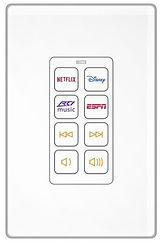
User Control Interfaces, Wall Touchscreens, Tablets/Phones, Handheld Remote Controls, In-Wall Keypads